Account Deletion
Important Notice About Account Deletion
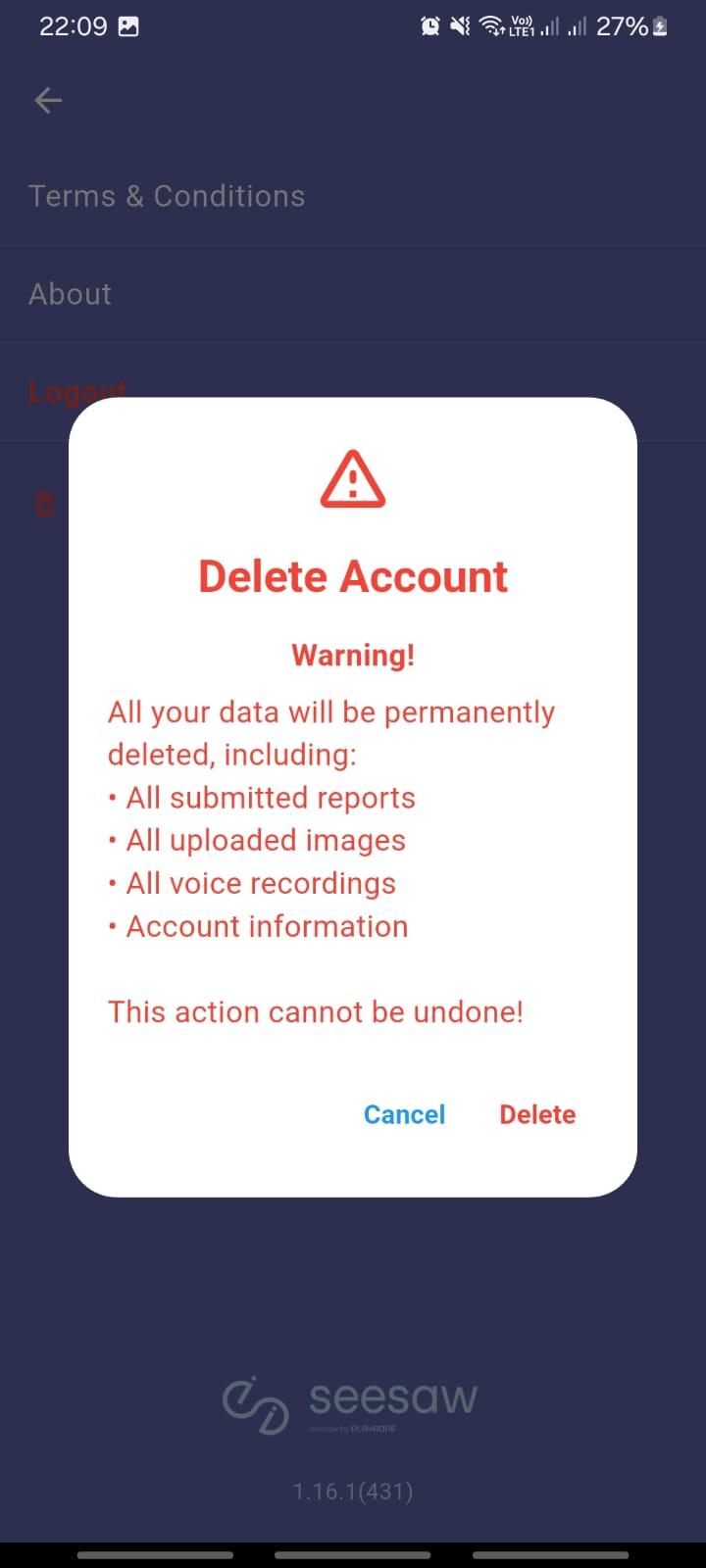
When you delete your account, all your data will be permanently erased from our servers. This action is irreversible and includes:
- All Submitted Data: Reports, feedback, and any other submissions
- Media Files: All uploaded images and photographs
- Audio Content: All voice recordings and audio submissions
- Personal Information: Your profile data, settings, and preferences
- Activity History: All historical data and interactions
⚠️ This deletion process cannot be undone or reversed once completed.
Follow these steps in the mobile app to delete your account:
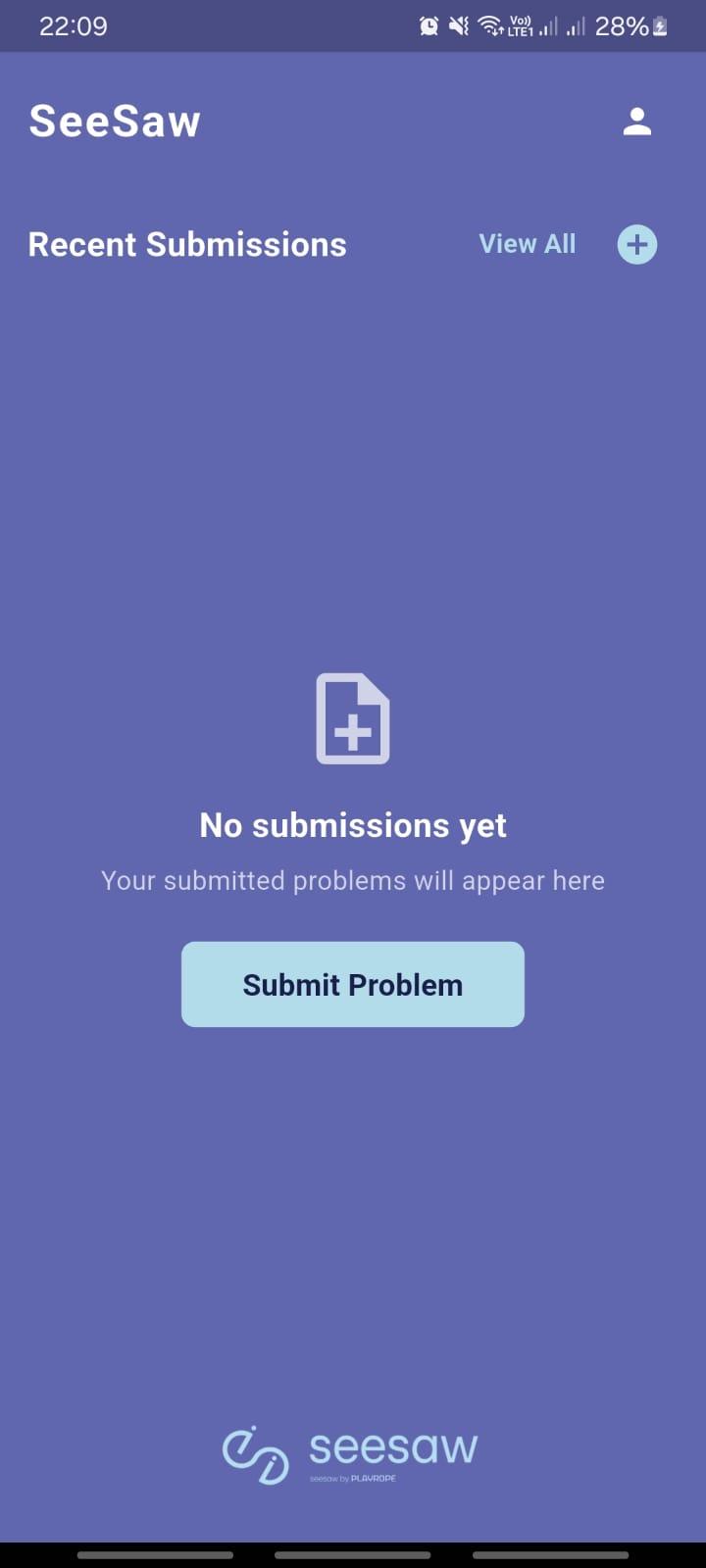
Step 1: Recent Submissions Screen
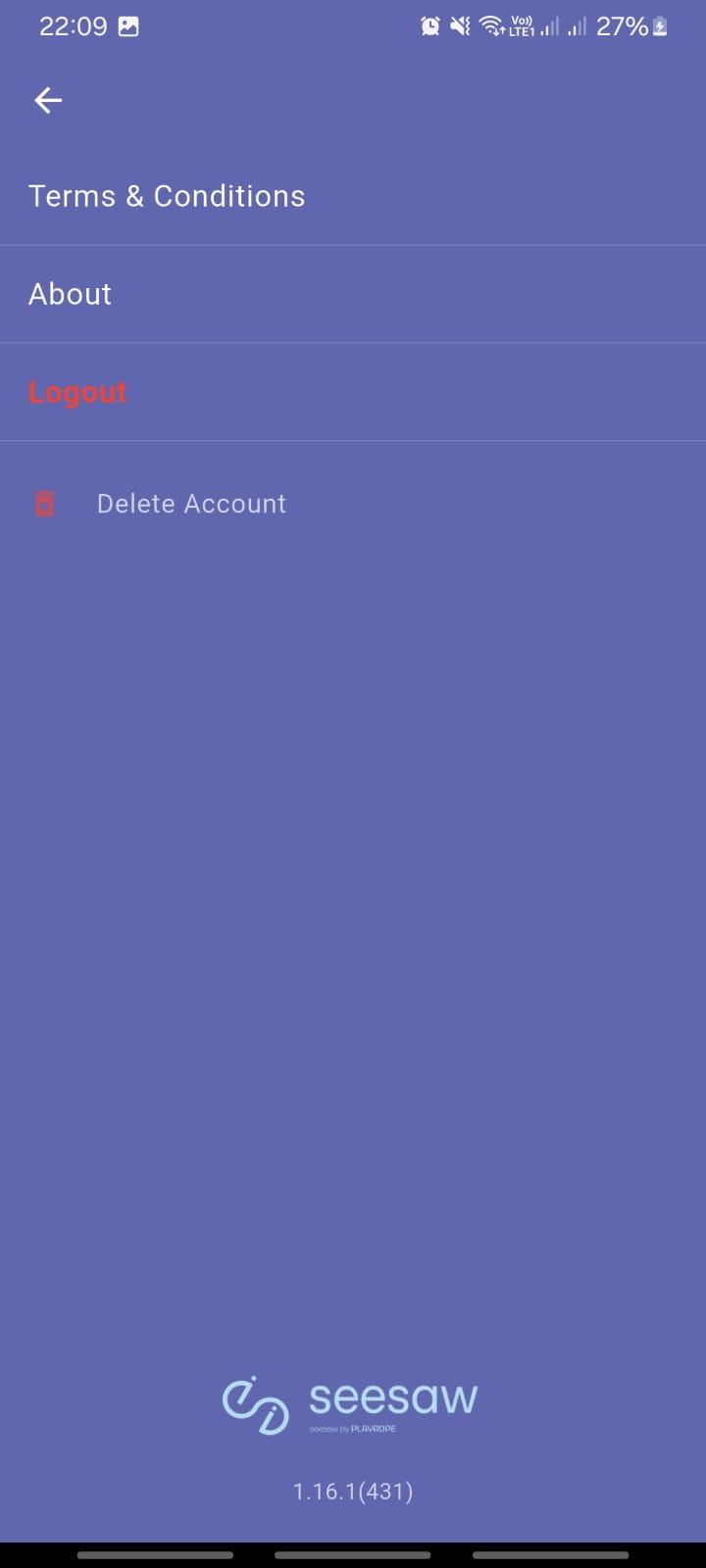
Step 2: Navigate to Settings
Step 3: Confirm Account Deletion
Before proceeding with account deletion, please ensure you have:
- Saved any important data you wish to keep
- Downloaded any necessary images or recordings
- Completed any pending submissions or reports
If you have any questions about account deletion or need assistance, please contact our support team before proceeding.